
Greek IP From Abroad: VPN Guide 2026
Why your IP changes when you travel, how a VPN really works, and when you actually need a Greek IP - a complete guide without the hype.
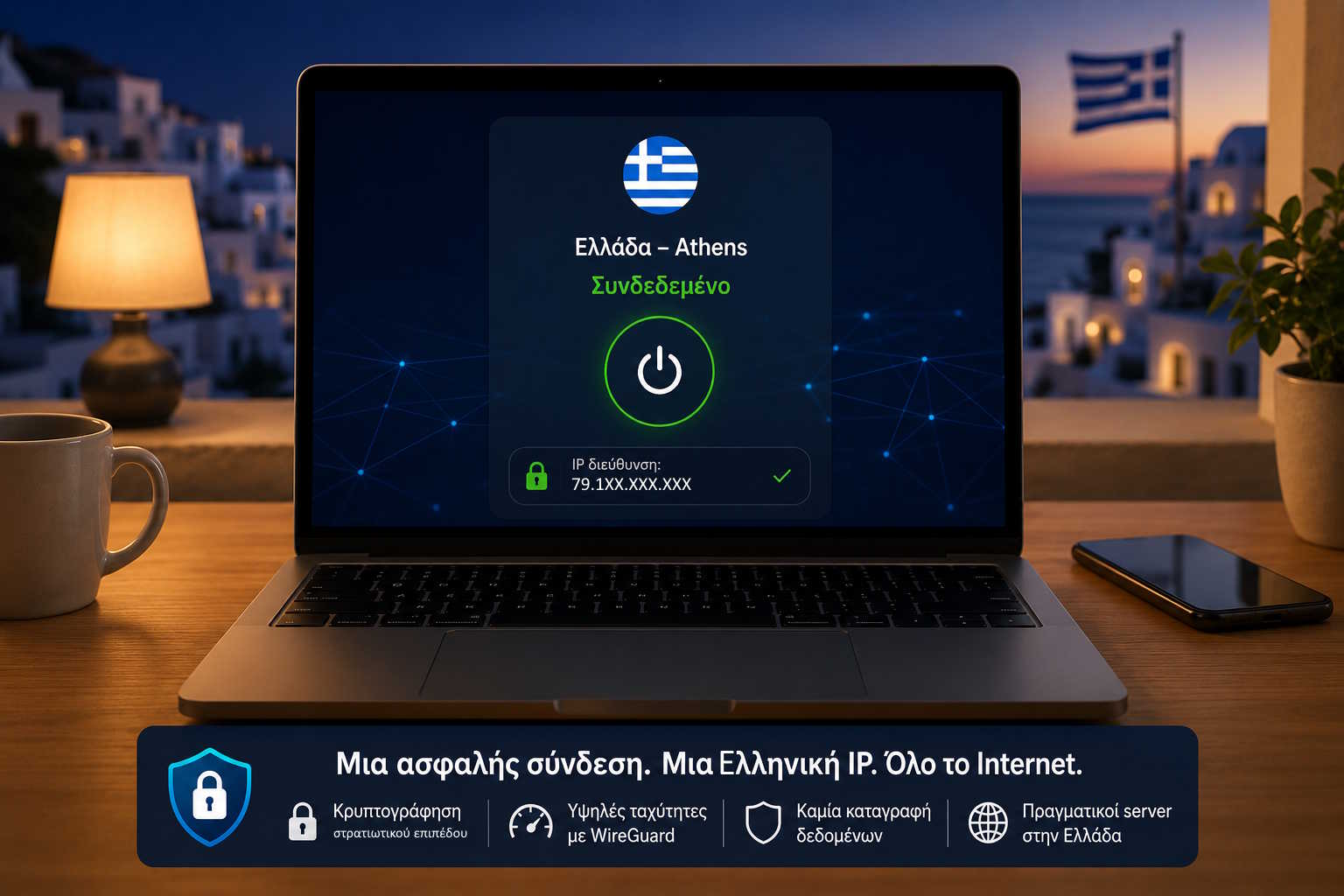
Introduction
If you've ever spent even a short time outside Greece, you've probably experienced this.
You try to log into your online banking, watch a Greek TV show, or use a service that works fine back home. Instead of the content you expect, you see:
"This service is not available in your country."
Or the website automatically switches language, shows different prices, or redirects you to a local version.
Most people assume this happens because the website knows who they are. In reality, it knows something much simpler: which country you appear to be connecting from - and that's determined by your public IP address.
This is exactly where the need for a Greek IP comes from.
It's not only about Greeks living permanently abroad. It also applies to frequent travellers, remote-work professionals, students, seafarers, digital nomads, and anyone who needs to appear online as connecting from Greece.
There's a lot of misinformation floating around about IP addresses and VPNs. Some present them as a magic anonymity tool, others promise absolute security. None of these exaggerations help anyone understand what's actually happening.
The purpose of this guide is different. We'll explain:
- what an IP address actually is and why it changes when you travel,
- how websites figure out what country you're in,
- what a VPN does, and what it doesn't do,
- which protocols are used today and why,
- when you actually need a Greek IP and how to choose a reliable solution.
What an IP Address Is and How It Works in Practice
Every device connected to the Internet needs a way to communicate with every other device. That way is the IP address - a unique number that identifies the "origin" and "destination" of every data packet.
Think of it as a home address. When you open a website, your computer sends a request - and the web server needs to know where to send the response back. The IP is that "return address".
Public and Private IP
Most users have two different IP addresses.
Private IP - used only inside your local network (e.g. 192.168.1.15 or 10.0.0.5). It's not visible on the Internet.
Public IP - this is what the whole Internet sees. It's assigned by your Internet provider (ISP) and is the only one geolocation services use. This is the one a VPN changes.
Is an IP Address Personal Data?
An IP address doesn't contain your name or home address. It can, however, be linked to a subscriber through legal procedures, and it lets services estimate your country, city, Internet provider (ISP), autonomous network (ASN), and sometimes whether the connection is mobile or fixed.
That's why an IP is considered a meaningful piece of data in online communications, without on its own revealing a user's full identity.
How Websites Know Which Country You're In
Many people think websites use GPS. Most computers don't even have GPS.
Websites use IP geolocation databases - the largest are MaxMind, IP2Location, DB-IP and IPinfo. These are continuously updated and map every public IP to a country, city, ISP, organization and ASN.
So when a server receives an IP from a Greek provider, it infers with high probability that the connection comes from Greece - without necessarily knowing your exact address or identity.
Why Your IP Changes When You Travel
At home you use a connection from a Greek provider - your public IP belongs to Greece. You travel to Germany, connect through a German network, and the local provider assigns you a German public IP. Suddenly, every website treats you as a user from Germany.
Your computer, browser or operating system hasn't changed. Only the public IP through which you access the Internet has changed - and that's enough to change how online services treat you.
What "Greek IP" Means and What a VPN Actually Does
The term "Greek IP" means that the public IP you're using has been assigned to a provider or infrastructure recognized as Greek. When a website sees this IP, it activates the Greek version of the site, Greek pricing, and services that only operate within Greece.
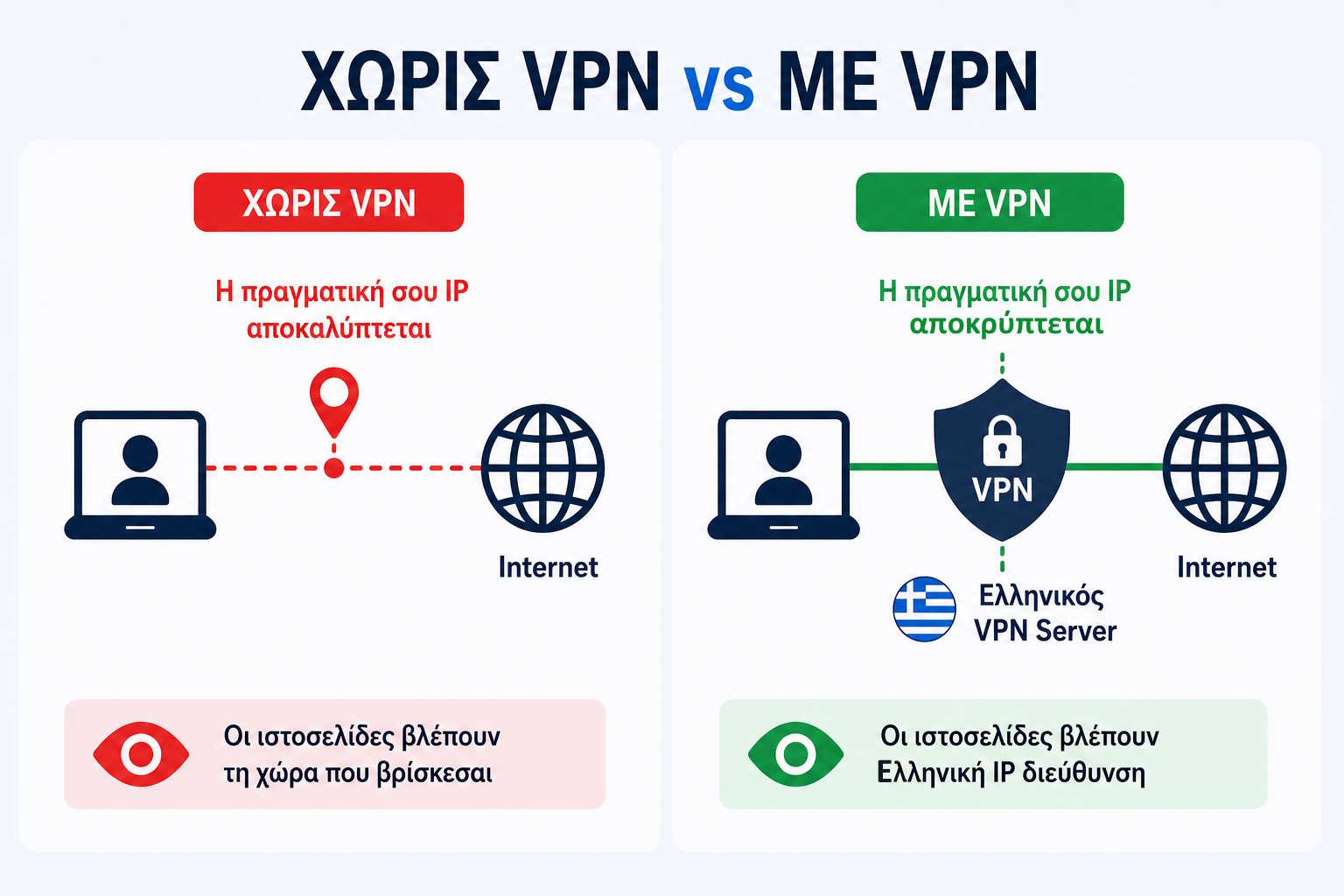
A VPN creates an encrypted connection between your device and a remote VPN server. From that point on, all traffic to the Internet passes through that server - so websites see the server's IP instead of your local provider's IP.
If the server is located in Greece, your connection appears as Greek.
This doesn't mean it makes you "invisible" or that it erases every piece of identifying information. If you log into your personal account on a service, that service still knows who you are, regardless of your IP.
Want to try a Greek IP right now? Get started with K1VPN →
How a VPN Works Step by Step
Let's look at exactly what happens the moment you press Connect.
Step 1 - Choosing a server: You pick a Greek server (e.g. Greece - Athens). This means you want all your Internet traffic to exit through that server.
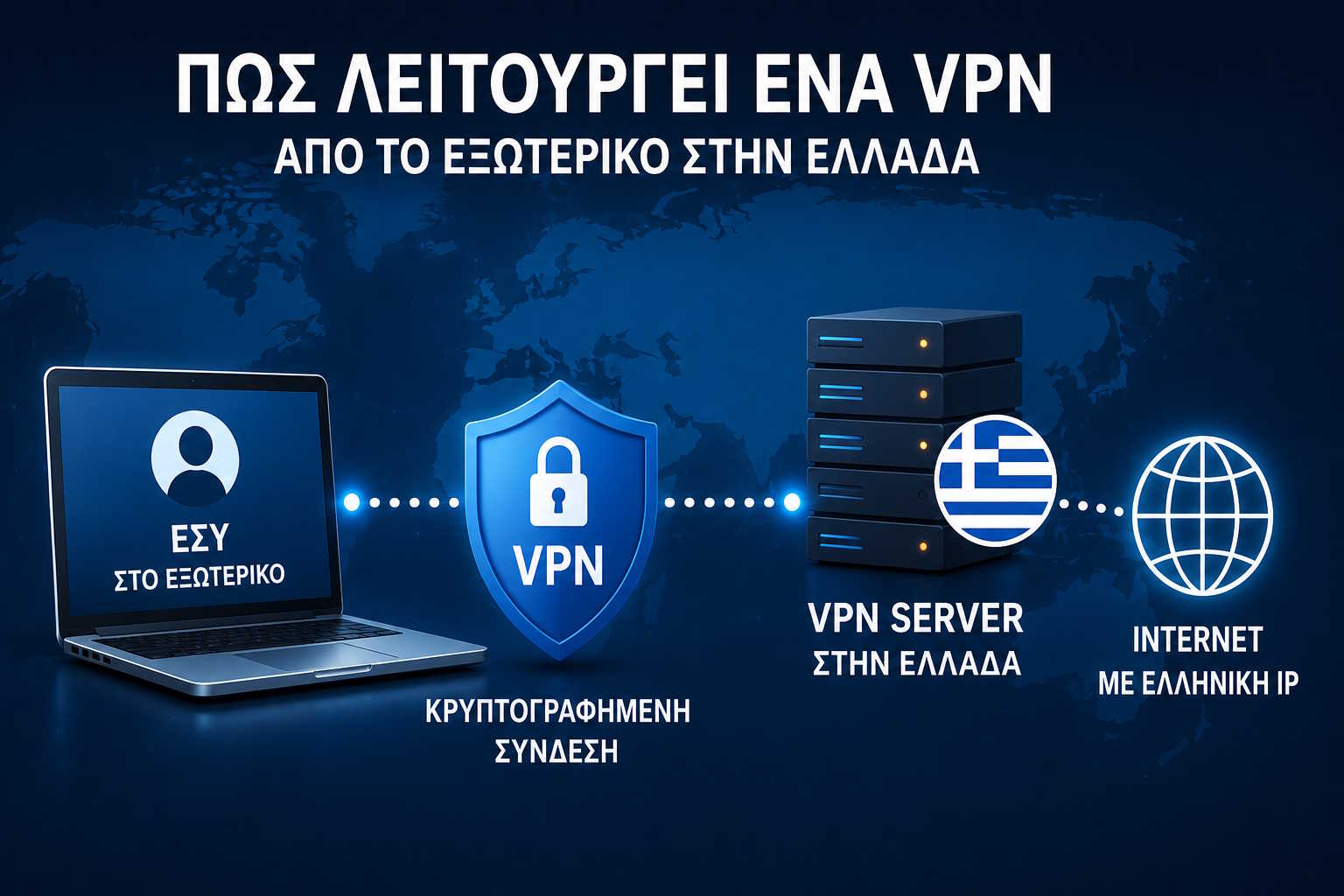
Step 2 - Building an encrypted tunnel: The VPN creates an encrypted tunnel between your device and the server. Data travels inside this tunnel - the segment of the route from your device to the VPN server is protected with strong encryption.
Step 3 - Authentication: The server verifies that you're an authorized user. The method depends on the protocol and each provider's implementation: WireGuard® uses exclusively public/private keys, while IKEv2 and OpenVPN® can use certificates, Pre-Shared Keys, or username/password depending on the provider. On K1VPN specifically, both IKEv2 and OpenVPN® authenticate with a simple username/password from your dashboard - no certificates to manage.
Step 4 - New IP: The VPN server assigns an internal address for the tunnel and from then on communicates with the Internet on your behalf. Websites see the VPN server's public IP - if it's located in Greece, the connection appears Greek.
Step 5 - Browsing: The route is now:
Device -> [Encrypted Tunnel] -> Greek VPN Server -> Website
instead of:
Device -> Foreign ISP -> Website
WireGuard®, IKEv2 and OpenVPN®: Which Protocol Should You Choose
When shopping for a VPN you'll often see names like WireGuard®, IKEv2, OpenVPN®, but also older ones like PPTP, L2TP, SSTP. Let's clarify what actually applies today.
PPTP, L2TP and SSTP are considered outdated and aren't recommended - PPTP in particular has well-known security weaknesses. Modern VPNs use these three:
WireGuard®
Designed with a philosophy of simplicity: less code means easier auditing and fewer potential weaknesses. Authentication happens exclusively via public/private key pairs - it doesn't support username/password by design.
- Advantages: very high performance, low latency, low battery consumption on mobile devices, modern cryptography (ChaCha20, Curve25519)
- Best for: high speeds, desktop, servers
- Performance: excellent · Mobile stability: very good · Compatibility: good, needs an app or native OS support
IKEv2/IPSec
Especially popular on iOS, macOS and Windows. Its biggest advantage is the ability to reconnect quickly when the network changes - e.g. when your phone switches from Wi-Fi to 5G, the connection re-establishes almost automatically.
- Advantages: excellent stability, wide native support across operating systems
- Best for: mobile devices that switch networks often
- Performance: very good · Mobile stability: excellent · Compatibility: very good, built into most operating systems
OpenVPN®
The most mature protocol, with the longest history and the widest compatibility. Based on TLS/SSL. Runs over TCP or UDP, with UDP usually faster, while TCP helps bypass strict firewalls.
- Advantages: excellent compatibility, configuration flexibility, extensively audited code
- Best for: environments with strict firewalls, devices without native WireGuard® support
- Performance: good · Mobile stability: good · Compatibility: excellent, runs almost everywhere
K1VPN supports all three protocols, so you can choose whichever fits your device and how you use it best. See our plans →
VPN, Proxy or Smart DNS? What's the Difference
Proxy - usually works for only one application (e.g. your browser). Other applications (email client, games, cloud backup) keep using your regular IP. Useful for simple cases, not a complete solution.
Smart DNS - only changes how certain DNS requests are resolved. It doesn't always change your public IP and doesn't encrypt your connection. Useful for specific streaming services, but it doesn't replace a full VPN.
VPN - operates at the operating-system level. Almost all of the device's network traffic passes through it. It changes your public IP and encrypts your connection.
If you want to change how your entire device connects to the Internet, a VPN is the right choice.
When You Actually Need a Greek IP
If you live permanently in Greece with a Greek connection, you already have a Greek public IP. The need arises when your physical location and the country you want your connection to appear from are different.
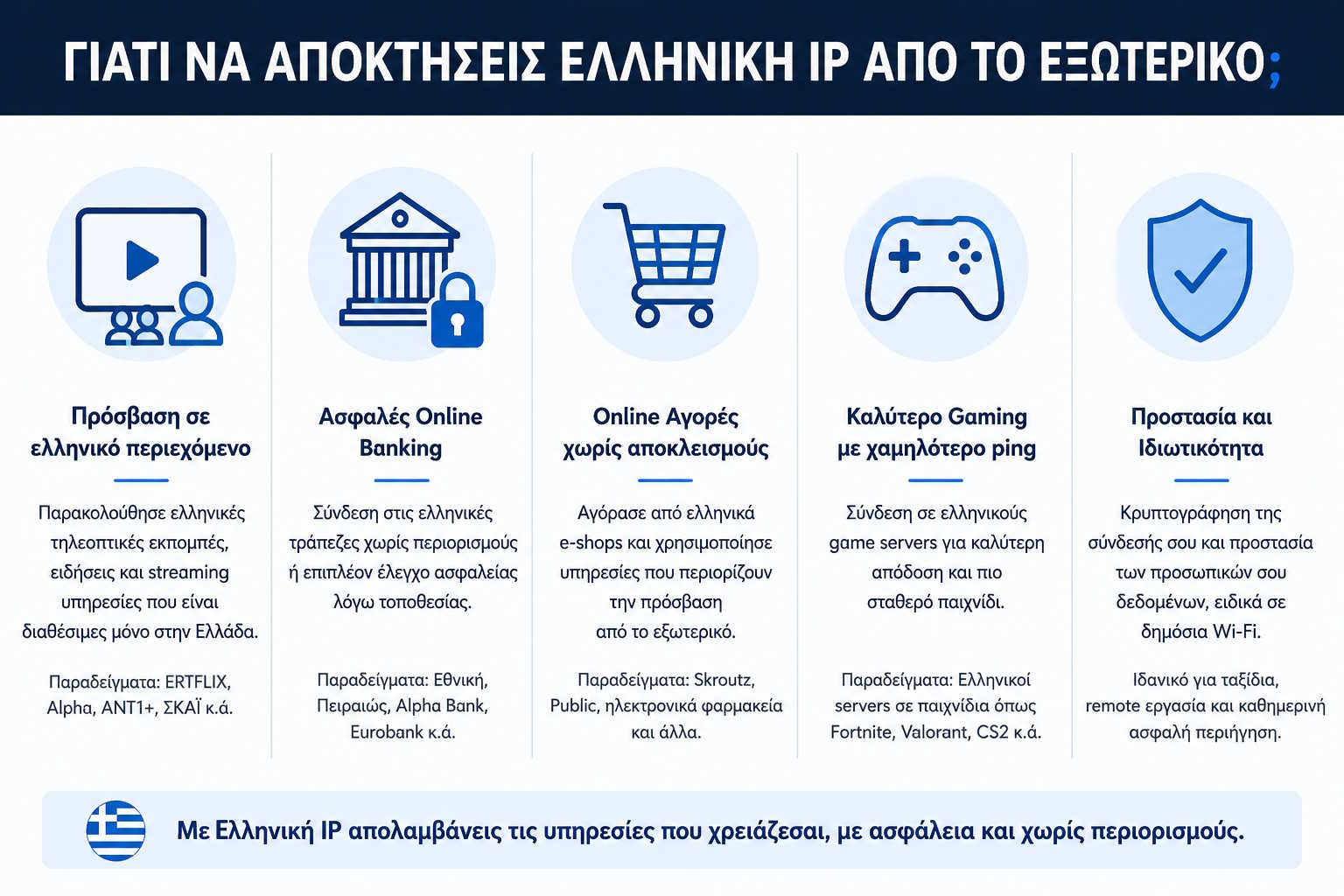
Greeks living abroad - This is the most common case. Whether you want to read Greek news, keep using services you've relied on for years, or keep the same experience you had back in Greece, a Greek IP lets services see your connection as Greek. If this is you, also check our dedicated guide VPN for Greeks Abroad.
Digital Nomads - Remote-work professionals change countries, and therefore IPs, often. This can trigger extra security checks or change how services behave. A consistent exit country through a VPN offers more consistency.
Travellers - Even for a few weeks, many services behave differently from another country. A Greek IP can be a practical solution when you need access to services that expect a connection from Greece.
Public Wi-Fi: When a VPN Actually Adds Value
Airports, hotels, cafes and conference centers almost always offer free Wi-Fi. The convenience is obvious - the security depends on several factors.
On a public network you don't know who's managing it, whether there's proper isolation between devices, or whether the network is really what you think it is. A classic example is Evil Twin Networks: a malicious user sets up a network with a similar name (e.g. Free Airport WiFi instead of the official Airport_Free_WiFi), and you can't tell which one is real just from the name.
When you turn on a VPN on a public network, the traffic between your device and the VPN server is encrypted - especially useful on networks you don't control.
A VPN doesn't protect you if you install malware, hand your credentials to a phishing site, or approve a suspicious app. It's an important tool, not a substitute for sound digital behaviour.
Is Using a VPN Legal?
Yes, in most countries using a VPN is entirely legal. Millions of businesses use VPNs every day for remote work, connecting branch offices, and securely managing infrastructure.
Some countries impose restrictions or require approved VPN services. If you're travelling to a country with strict telecommunications laws, check the applicable legal framework before using any service.
A VPN doesn't change the legality of a user's actions. If something is illegal without a VPN, it remains illegal with one.
How to Choose a Trustworthy VPN: What to Check
Most people compare only price, number of countries and servers. That's only a small part of the picture.
Real Servers or Virtual Locations?
Some providers display a Greek server while the actual infrastructure is located in a different country (a Virtual Location). For the average user there isn't always a visible difference, but physical location affects latency and packet routing. A trustworthy provider is transparent about this.
The No Logs Policy
The term "No Logs" is used by almost everyone, but it doesn't always mean the same thing. There are different types of data: traffic logging, timestamps, IP addresses, operational statistics. A responsible provider clearly explains what data it collects, why, and for how long. If you only see a big "NO LOGS" claim with no explanation, read the Privacy Policy carefully.
Transparency
Things worth checking: is there a detailed Privacy Policy? Is a Transparency Report published? Is it stated where the servers are located? Are the protocols used explained?
Transparency alone doesn't prove quality, but it's a sign that a provider is willing to explain how it works instead of relying solely on marketing slogans.
Speed Depends on Many Factors
Ads like "the fastest VPN in the world" don't tell the whole story. Speed depends on your base connection speed, the distance to the VPN server, network congestion, data center quality, and the protocol. That's why two users of the same VPN can have completely different experiences - and why serious providers avoid promising "zero latency".
Do You Really Need Hundreds of Countries?
For a Greek living abroad, what matters most is having a reliable Greek server with good performance, modern protocols, and stable operation. The hundreds of extra locations may never actually get used.
The Most Common Mistakes - and How to Avoid Them
Mistake #1: "I connected to a VPN but the website still sees me in the country I'm actually in."
Before concluding the VPN isn't working, check: whether you connected to a Greek server, whether your browser is using stored cookies or cache, whether the website has saved information from previous visits, and whether you've allowed your browser to use the device's location via GPS or Wi-Fi.
Mistake #2: "All VPNs are the same."
Two services may use the same protocol but differ significantly in infrastructure quality, routing, privacy policy, and support.
Mistake #3: Choosing based on price alone.
Ask yourself: are there real Greek servers? Are modern protocols supported? Does the company explain what it does with user data? Is there technical support?
Mistake #4: Using a free VPN without knowing its limits.
Many free services impose low data caps, few servers, or queues during peak hours. Before relying on one, read carefully what it actually offers.
Mistake #5: Treating a VPN as a solution for everything.
A VPN doesn't replace strong passwords, two-factor authentication (2FA), OS updates, or caution around phishing. It's an important tool within an overall approach to digital security.
The Biggest VPN Myths
Myth 1: "A VPN makes me anonymous." No. It changes your public IP and encrypts your connection up to the VPN server. It doesn't erase cookies, browser fingerprint, or account information.
Myth 2: "A VPN always makes your connection faster." Traffic passes through an extra server - so there's some overhead. With proper infrastructure and modern protocols it can be negligible, but no technology eliminates physical limitations entirely.
Myth 3: "The more countries, the better the VPN." For a user who mainly needs a Greek IP, what matters more is the reliability of the Greek server, network quality, and stability - not the number of countries.
Myth 4: "Since I use HTTPS, I don't need a VPN." HTTPS and VPN solve different problems. HTTPS protects the communication between your browser and a website. A VPN encrypts your entire connection up to the VPN server and changes your public IP. They work as complements.
Step by Step: How to Get a Greek IP Today
Step 1 - Choose a VPN provider with real or clearly documented Greek servers.
Step 2 - Create an account and download the connection profile for your device.
Step 3 - Install the app or import the WireGuard®, IKEv2 or OpenVPN® profile. Most modern providers support Windows, macOS, Linux, Android, iPhone and iPad.
Step 4 - Connect to a Greek server. After connecting, you can check your public IP through K1VPN's IP check to confirm it appears as Greek.
Step 5 - Use the services you need as normal.
Try K1VPN - Greek servers, WireGuard® / IKEv2 / OpenVPN®, a transparent privacy policy. Get started here →
Conclusion
Getting a Greek IP from abroad is neither a complicated nor a mysterious process. It's simply a different route for your connection: instead of exiting to the Internet through a local provider, you exit through a Greek VPN server - and that's enough for services to "see" your connection as Greek.
What matters isn't just changing your IP. It's understanding what a VPN actually does, which problems it solves and which it doesn't - so you can choose based on real features rather than marketing promises.
Frequently Asked Questions
Can I have a Greek IP while living permanently abroad?
Yes. You connect to a VPN server located in Greece, and websites see that server's public IP instead of your local provider's IP.
Will my computer's actual location change?
No. The physical location of your device doesn't change. Only the public IP through which it communicates with the Internet changes.
Is using a VPN legal?
In most countries, yes. However, laws differ by country - check the rules if you're travelling to a country with strict telecommunications legislation.
WireGuard®, IKEv2 or OpenVPN® - which should I choose?
WireGuard® stands out for high performance. IKEv2 is ideal for mobile devices that switch networks. OpenVPN® has the widest compatibility and maturity. K1VPN supports all three.
Can I use a VPN on both mobile and desktop?
Yes. K1VPN provides connection profiles for Windows, macOS, Linux, Android, iPhone and iPad.
Why do some websites still know which country I'm in?
Because your public IP isn't the only signal used. Cookies, account settings, browser language, or device location access can also affect what a service shows you.